

Understand roles and permissions
Know exactly what each organisation, team, and recipient role can do.
-
Review organisation roles
Open Organisation Members and review organisation roles.
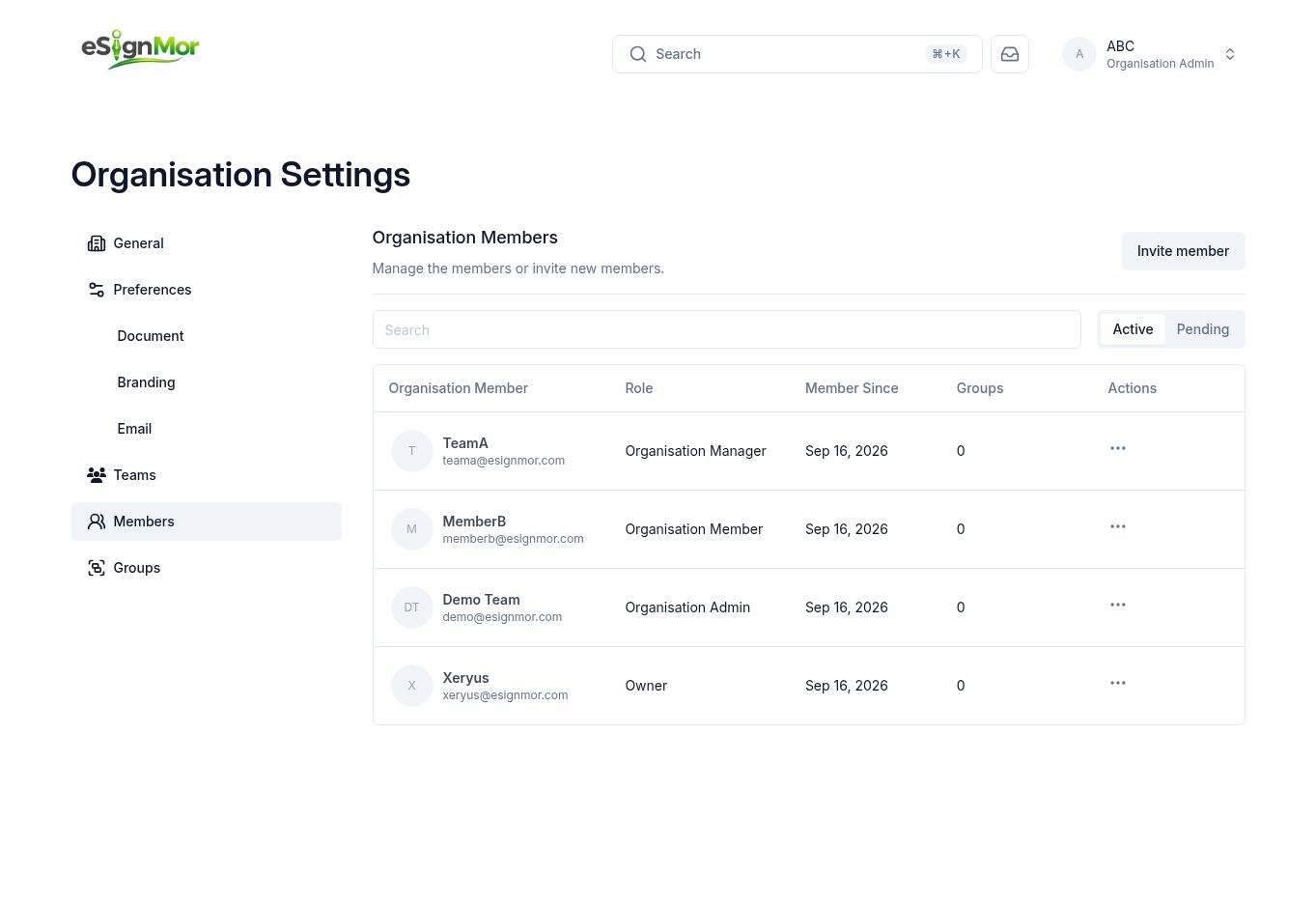 Organisation roles control administrative scope.
Result: You can see who holds administrative scope.
-
Review team-level access
Open a team’s Members and Groups pages to review team-level access.
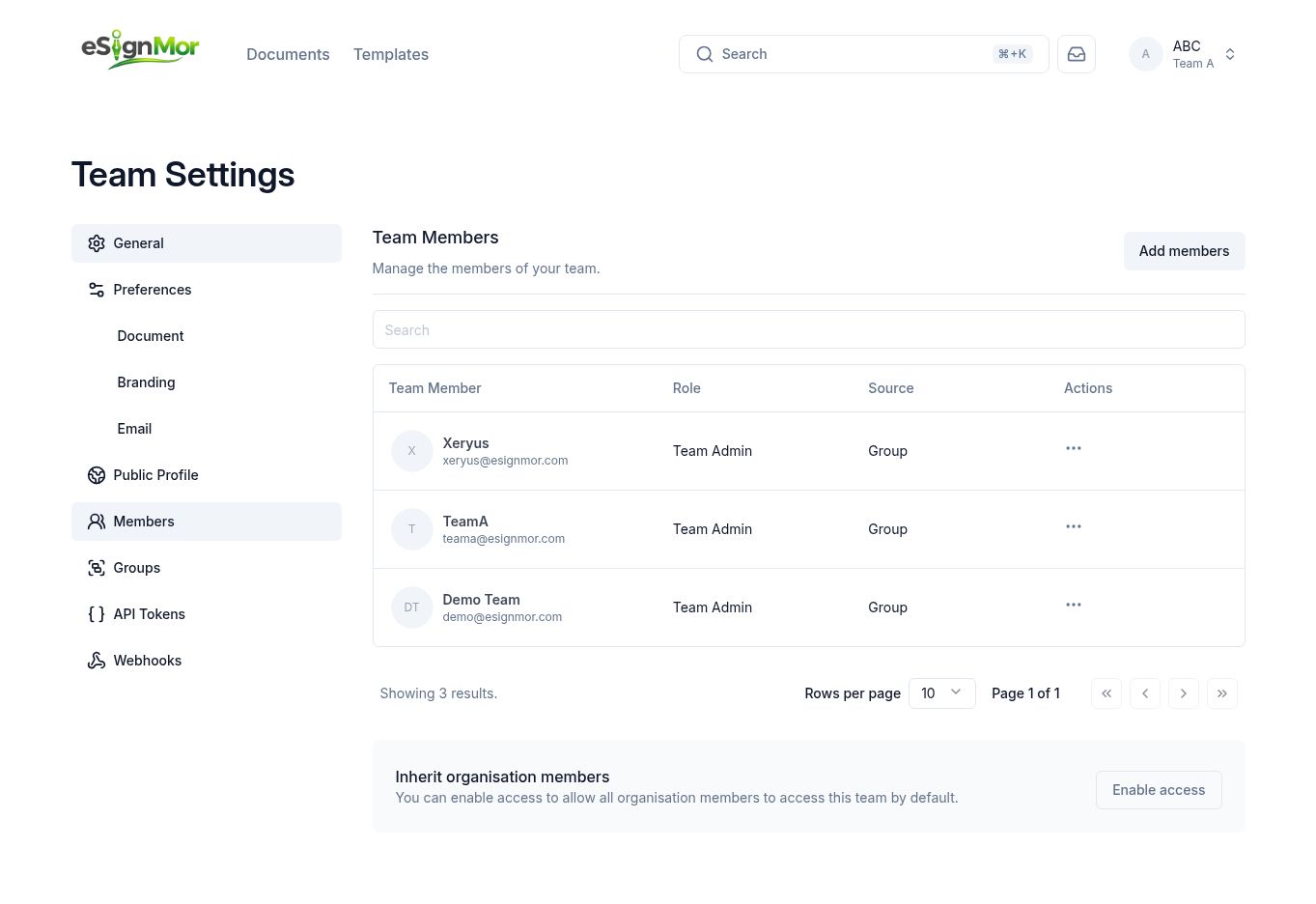 Team access can be inherited or explicitly assigned.
 -
Apply least privilege
Apply least privilege and verify access using approved test accounts.
Result: Every role sees only the functions it needs.
What happens next
- Owner: ultimate organisation control and lifecycle.
- Organisation Admin: settings, members, teams, groups, branding, and defaults.
- Organisation Manager: manages permitted documents and templates within granted scope.
- Organisation Member: uses assigned teams and shared content.
- Team Admin: manages one team’s settings, members, groups, tokens, webhooks, documents, and templates.
- Signer, Approver, Viewer, and CC act only on the documents sent to them.
Need a hand? Email support@esignmor.com.