

Configure organisation email preferences
Control the reply address and which notifications owners and recipients receive.
-
Open Email settings
Open Organisation Settings and select Email.
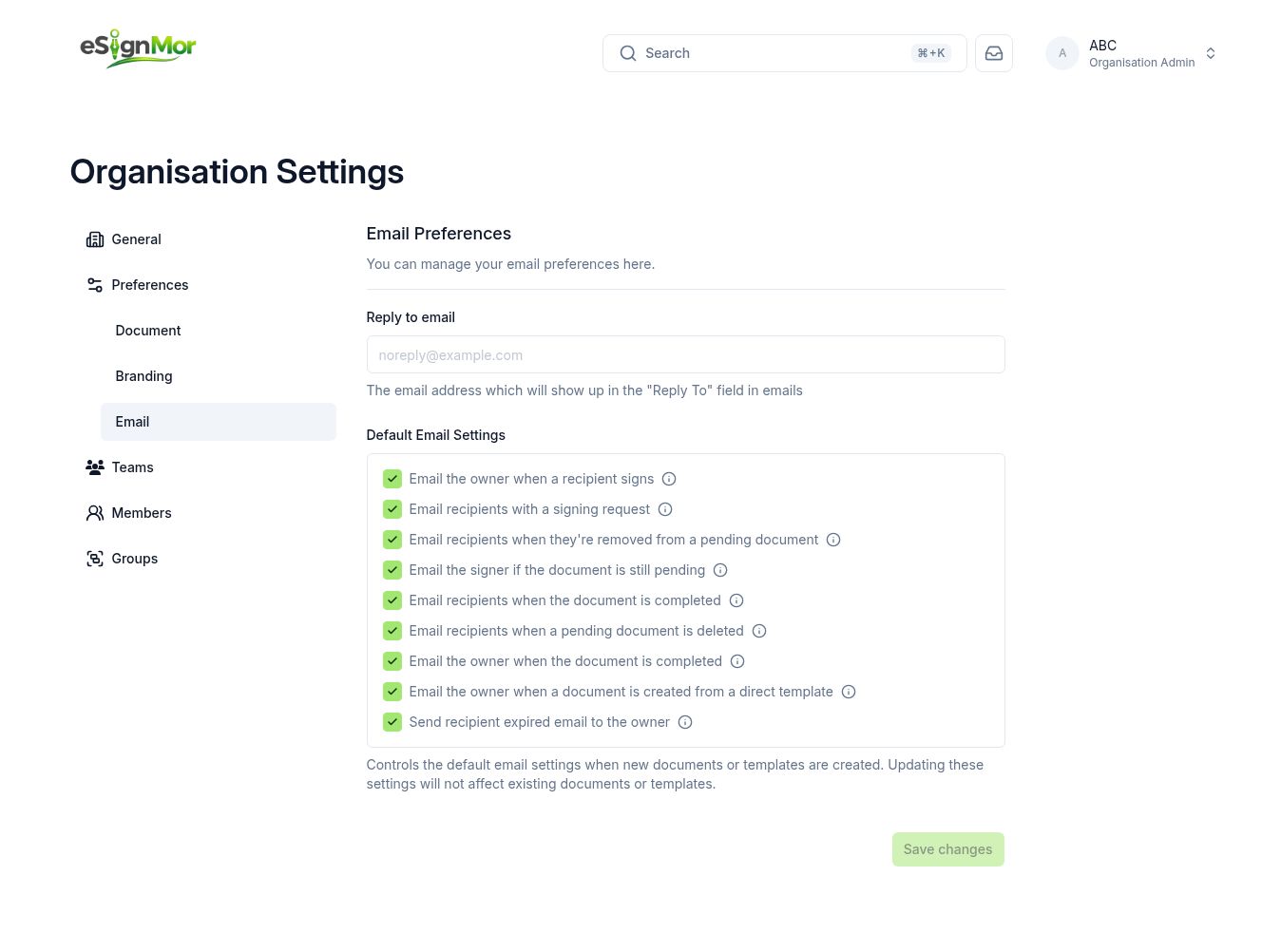 Open organisation email preferences.
 -
Set a monitored Reply-To
Enter a monitored Reply-To address.
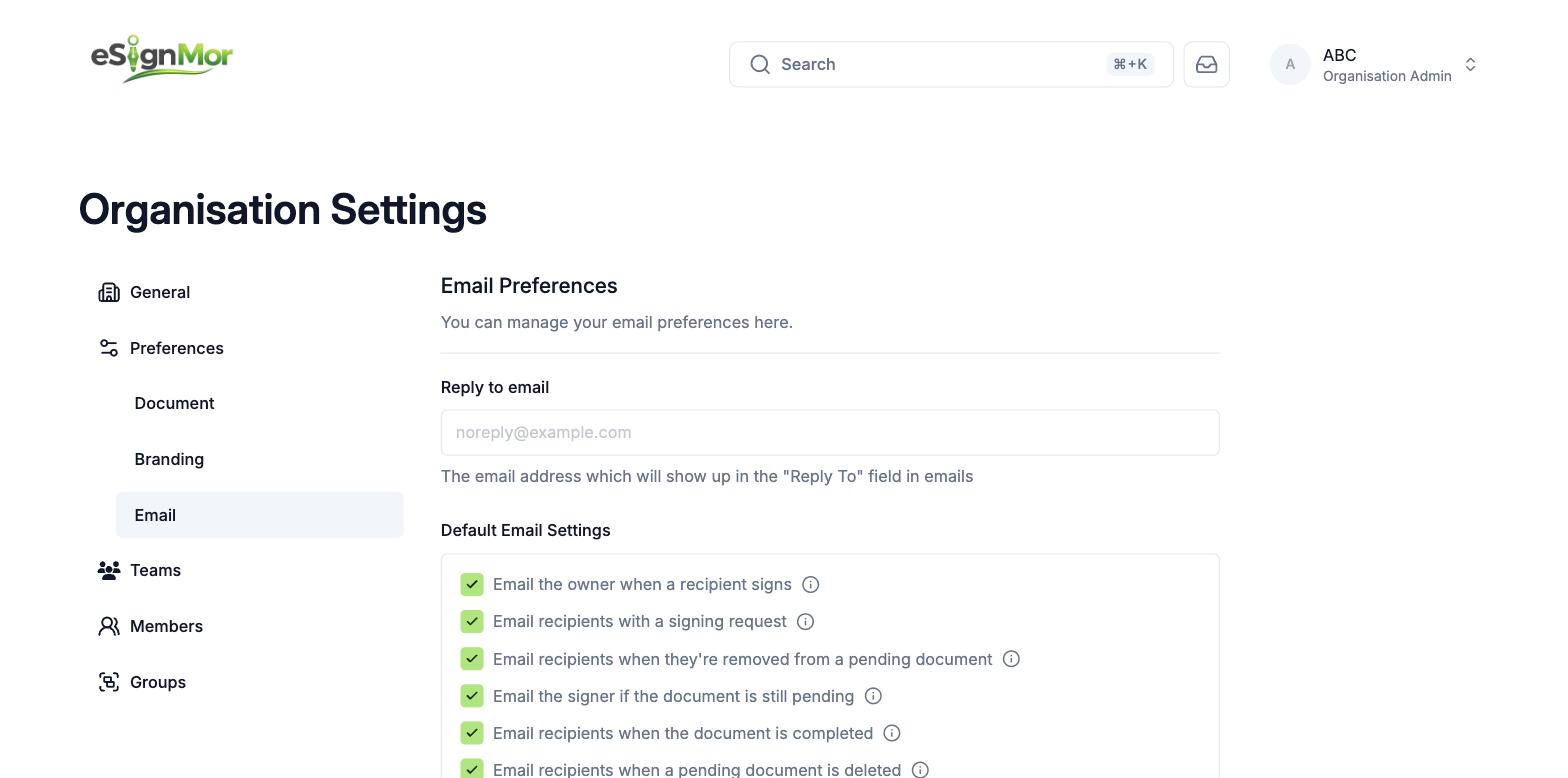 Use a monitored reply address.
Important: Never use an unmonitored address — recipients often reply with questions.
-
Choose owner notifications
Configure owner notifications for signatures and completion.
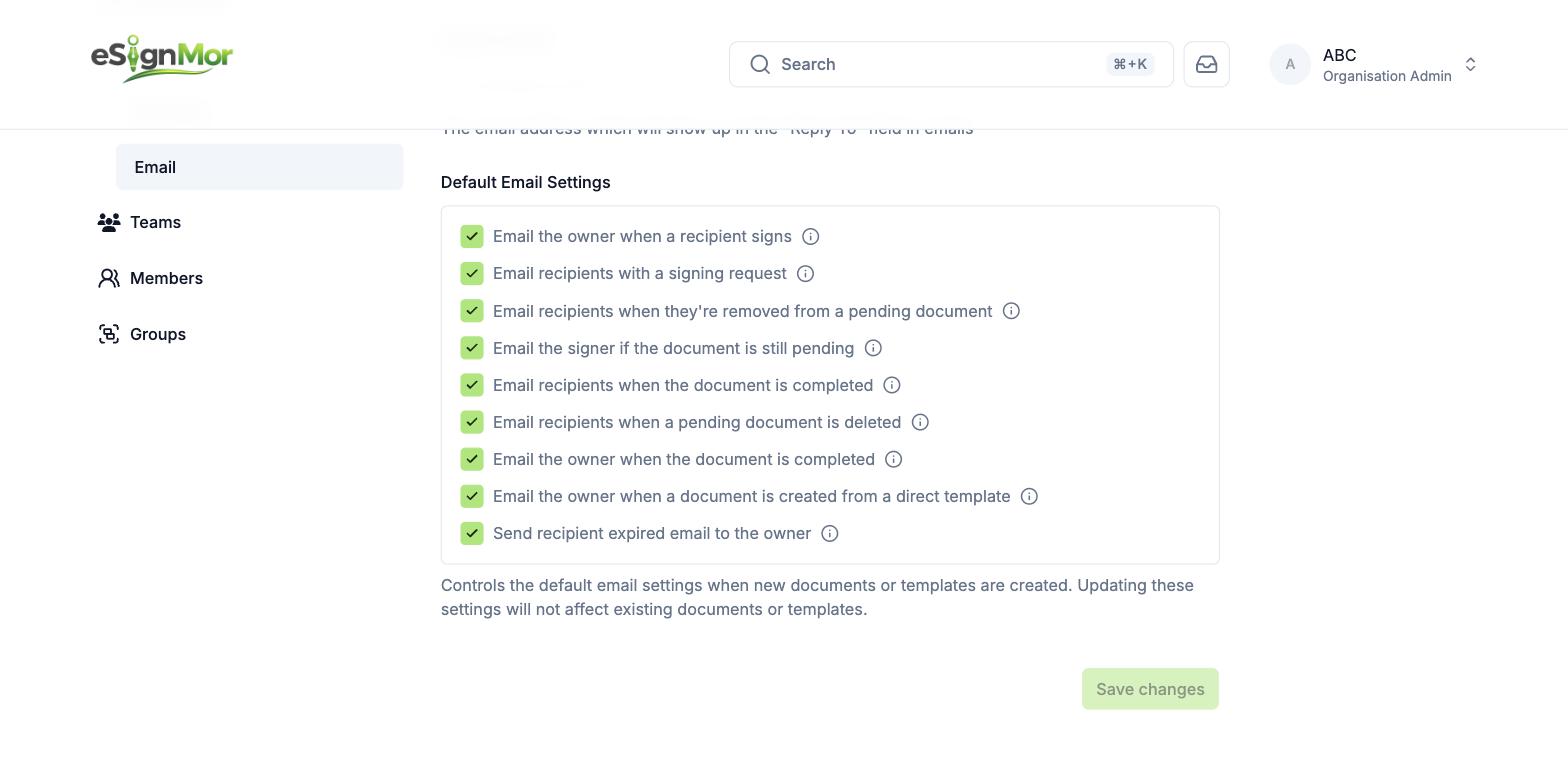 Choose which updates owners receive.
 -
Choose recipient notices
Configure recipient notices for requests, reminders, removal, completion, deletion, and expiration.
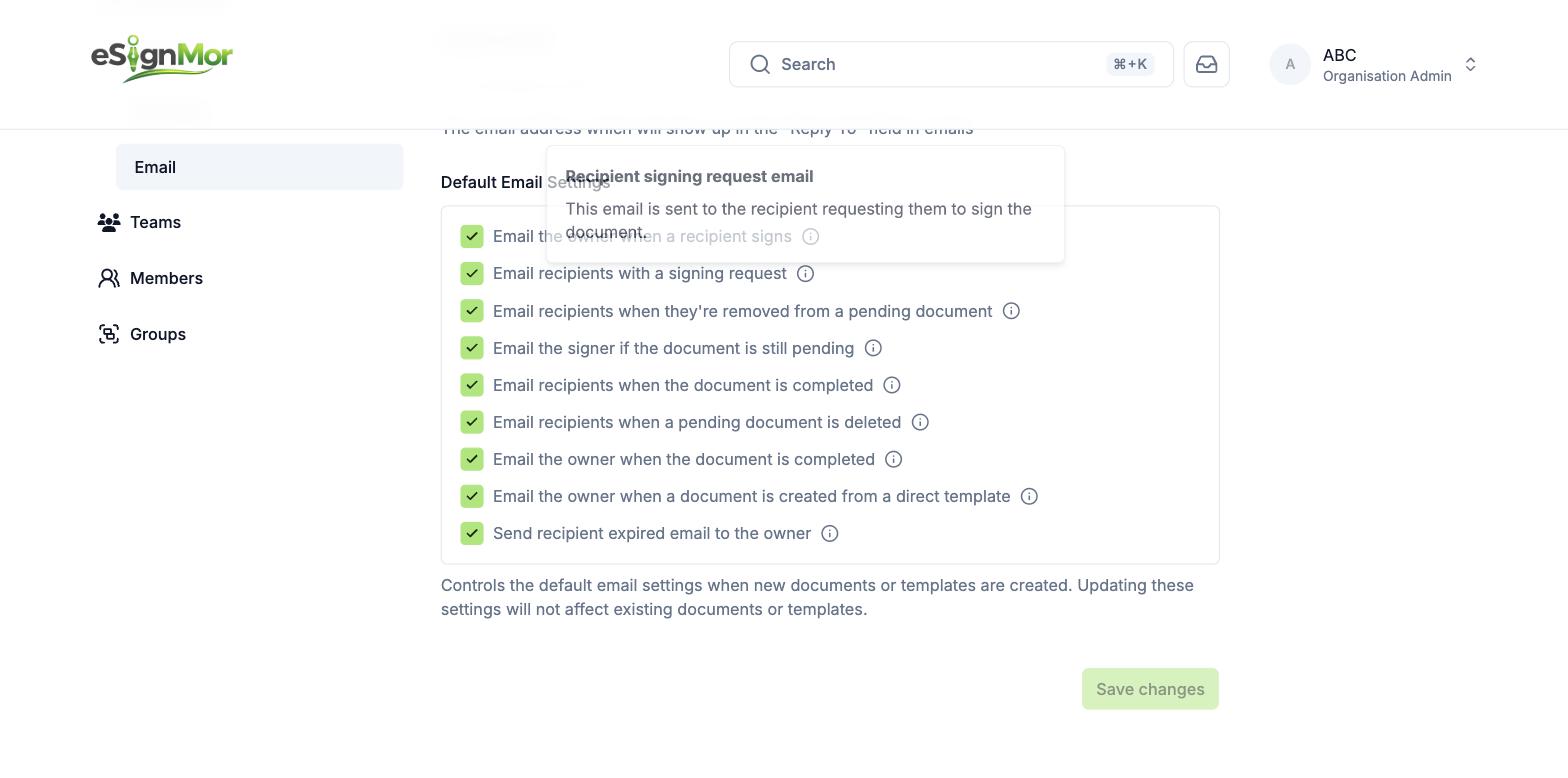 Choose recipient lifecycle notifications.
 -
Test delivery
Save and send a test document to validate delivery and branding.
Result: A real signing email confirms the settings work end to end.
Need a hand? Email support@esignmor.com.