

Create and protect API tokens
Issue a server-side token for integrations and keep the secret safe.
-
Open API Tokens
Open Team Settings and select API Tokens.
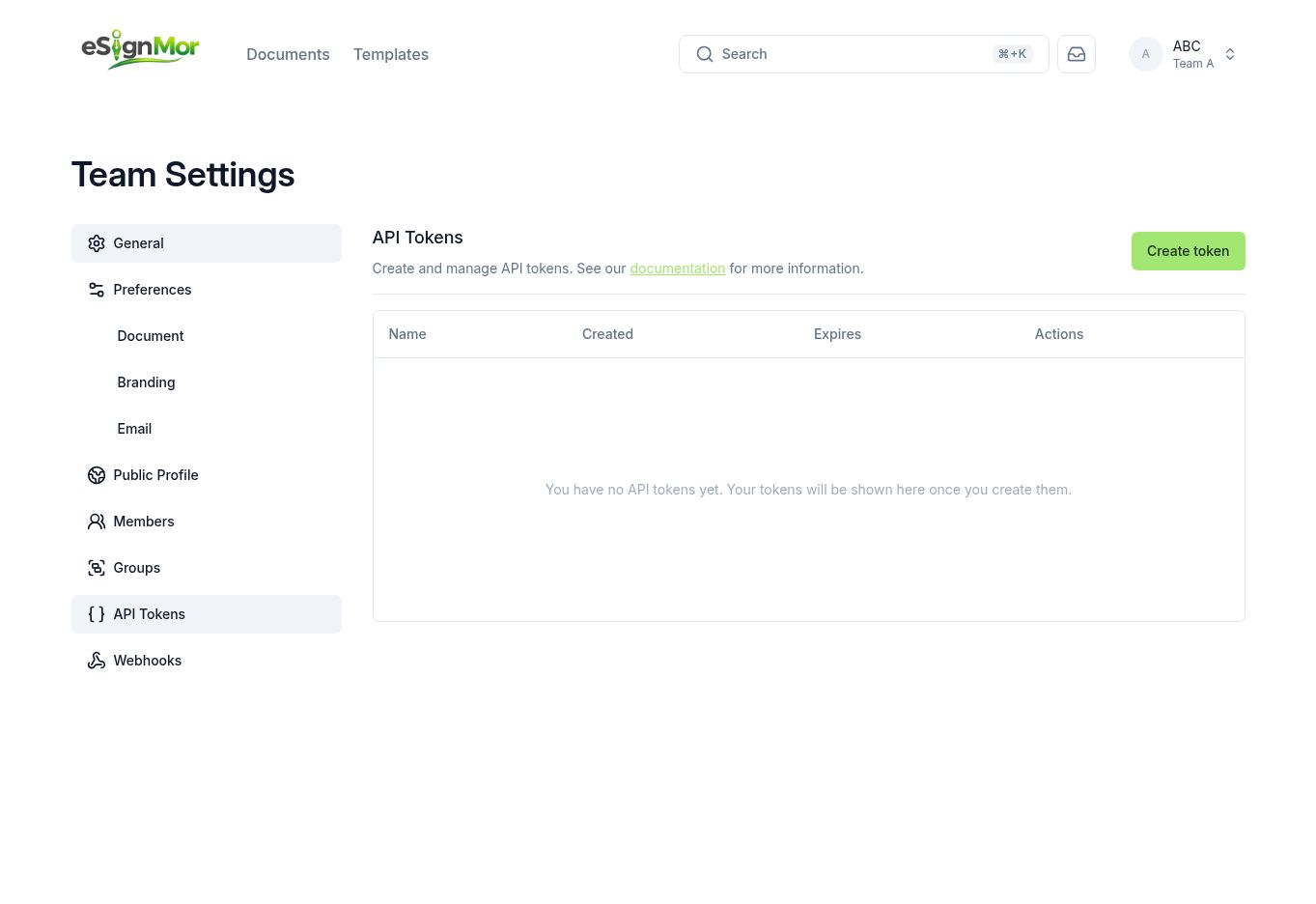 Open the team’s API tokens.
 -
Create a token
Select Create token and configure its name and expiration.
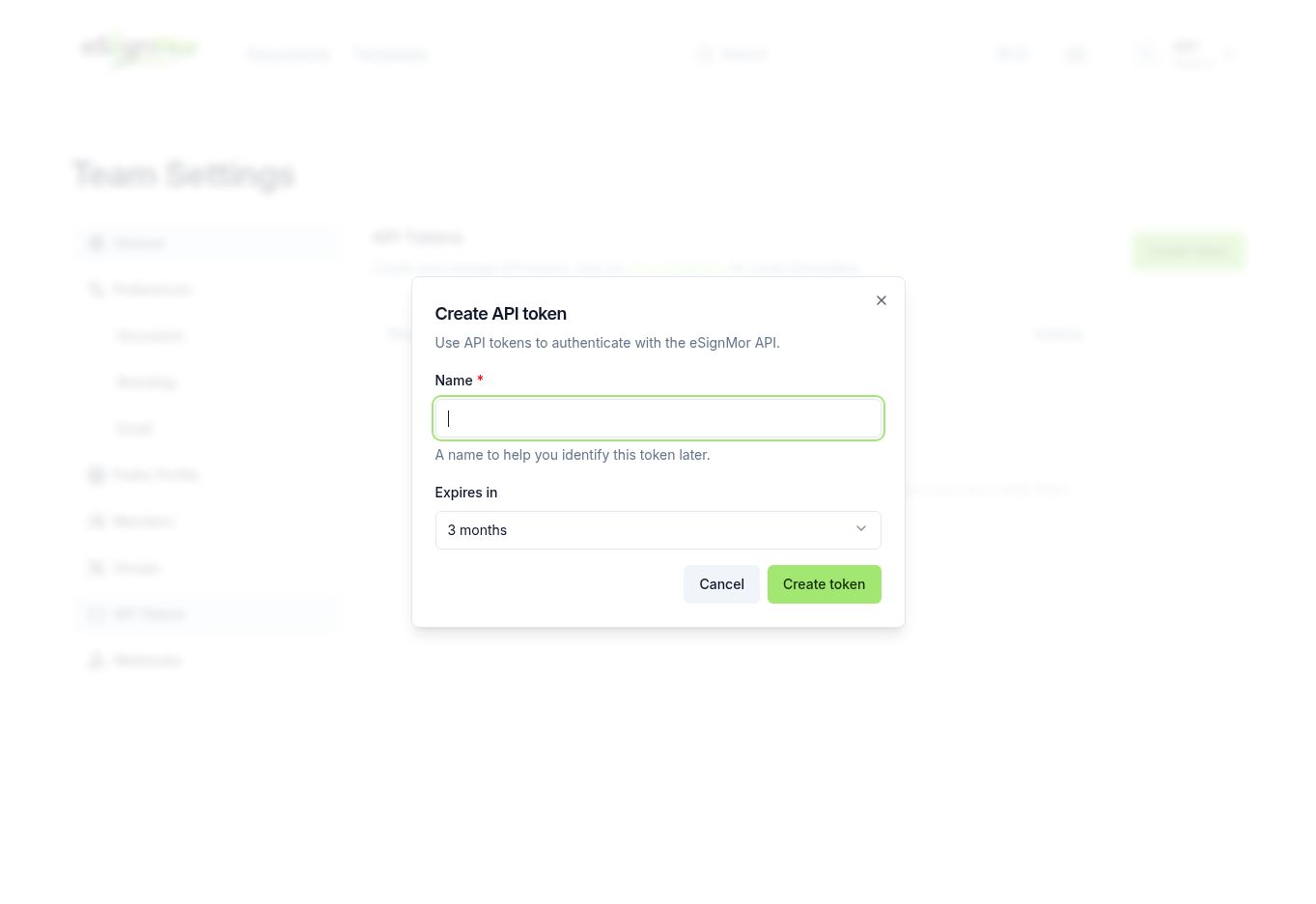 Name the token after the integration that uses it and set an expiry.
 -
Store the secret
Copy the token once and store it in your secret manager. It is shown only at creation time.
Important: Never paste a token into email, chat, a screenshot, or client-side code. Use it only from a server.
-
Rotate and revoke
Revoke tokens when an integration is retired and rotate them on a schedule.
Result: Only active, accounted-for tokens remain.
Need a hand? Email support@esignmor.com.