

Create and secure your account
Register for eSignMor and protect the account with a strong password and two-factor authentication.
-
Open the sign-in page
Open the eSignMor sign-in page and select the registration option if an account has not already been created.
Result: The sign-in or registration form is displayed.
-
Complete registration
Enter the business email address, complete the registration fields, and submit the form.
Result: eSignMor requests verification when required.
-
Verify your email
Complete email verification and sign in.
Result: The eSignMor dashboard opens.
-
Open Account Settings
Open Account Settings from the profile menu.
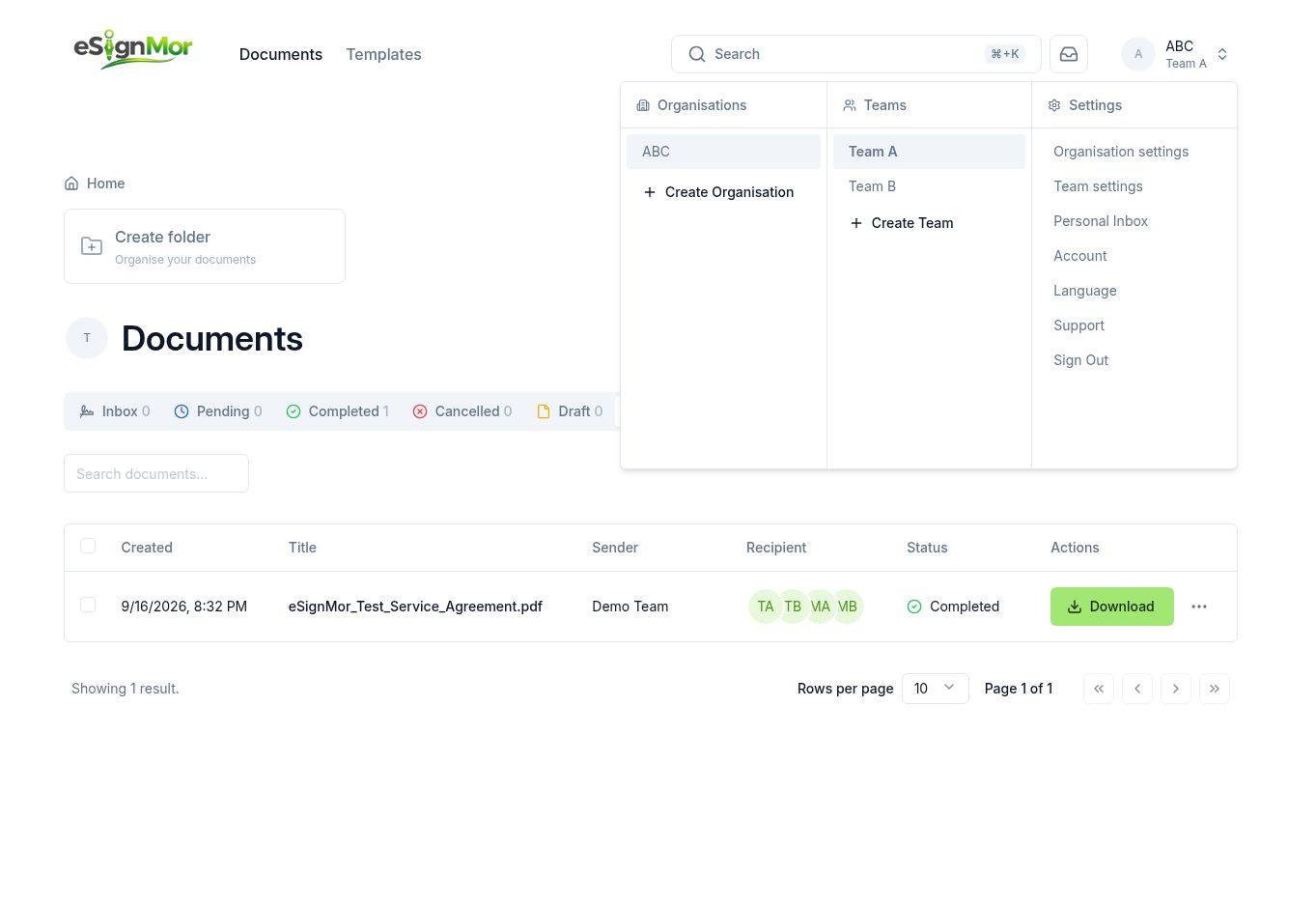 Open personal account settings.
Result: Profile and security controls are available.
-
Review security
Open Security, create a unique password, and enable two-factor authentication according to company policy.
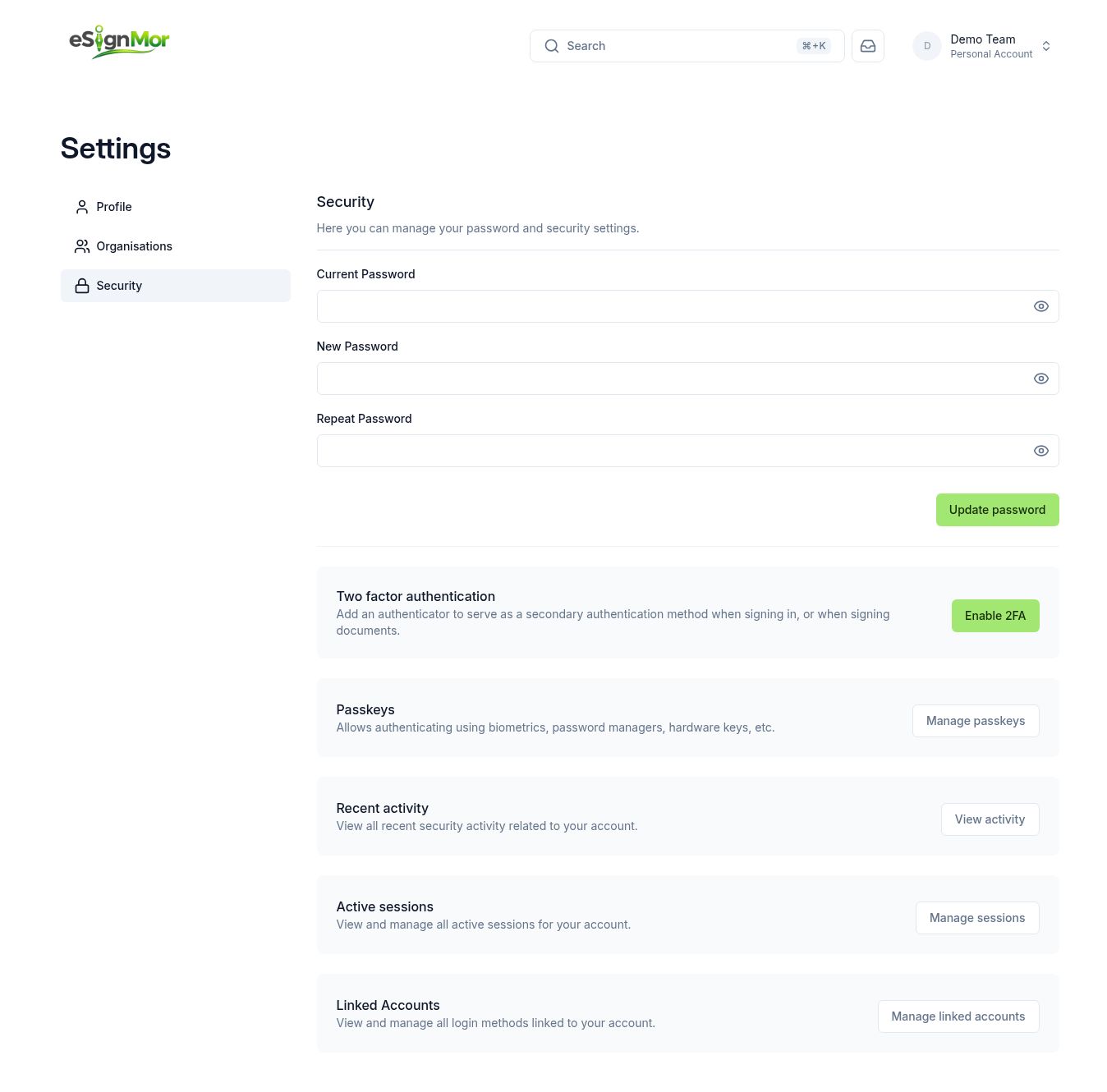 Review password and two-factor authentication settings.
Result: The account has the required security protection.
-
Check activity and sessions
Review recent activity, active sessions, and linked accounts.
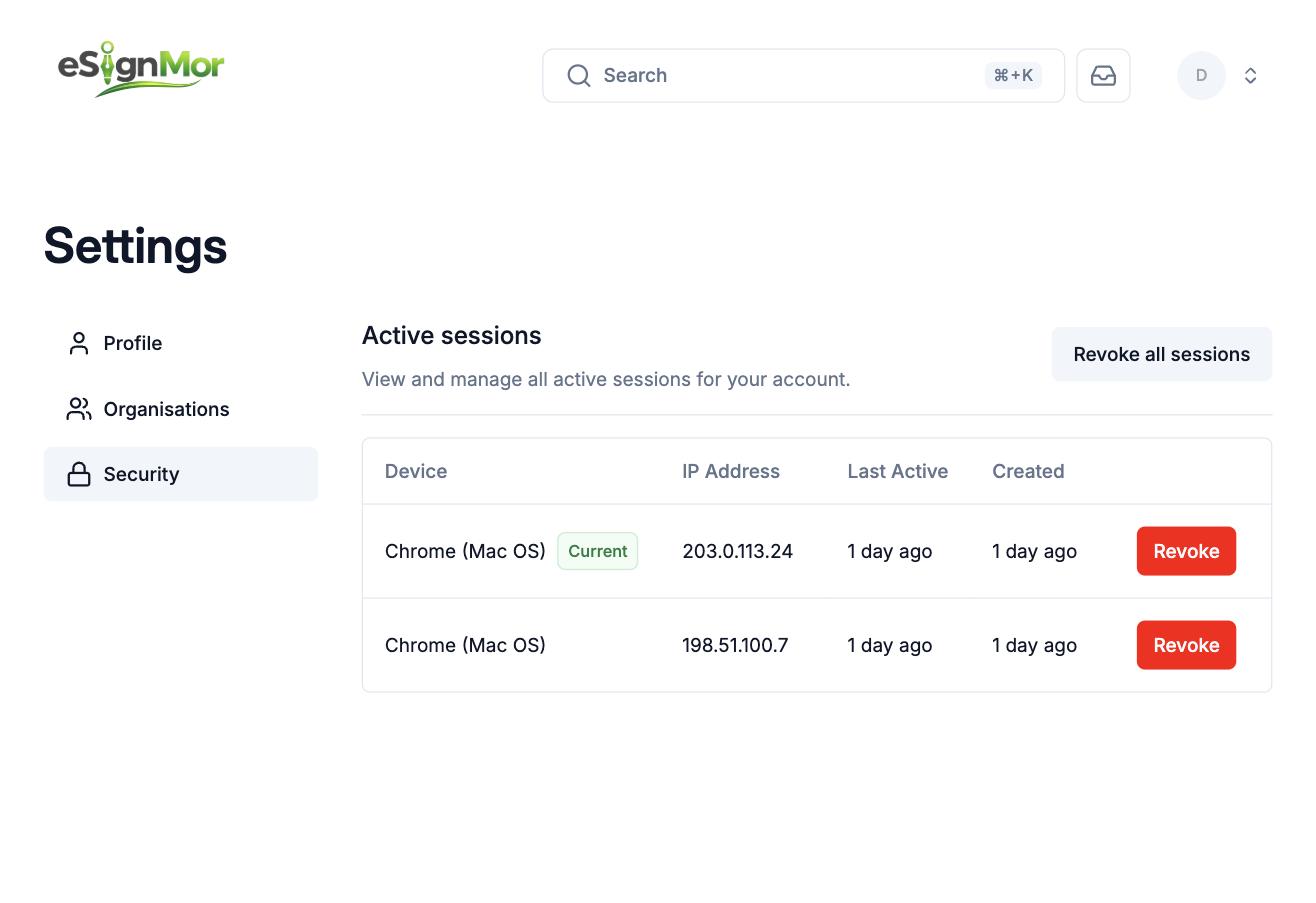 Review account access and end unrecognized sessions.
Result: Only recognized sessions and sign-in methods remain.
Important: End any session or linked account you do not recognise immediately, then change your password.
What happens next
- Set up your profile and stored signature.
- Create an organisation if you administer eSignMor for a company.
Need a hand? Email support@esignmor.com.