

Approve or reject a document
Act on a document at your assigned approval step.
-
Open the request
Open the request after the preceding routing step is complete.
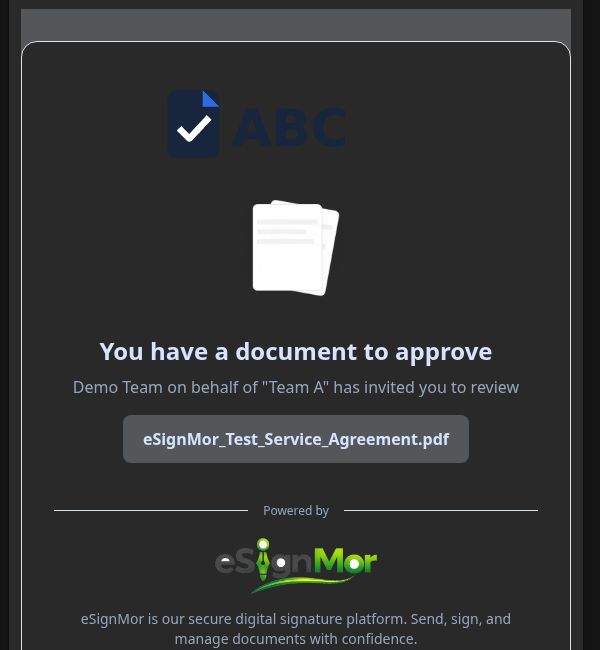 Open the approval request.
 -
Review the content
Review the document and the data entered by earlier recipients.
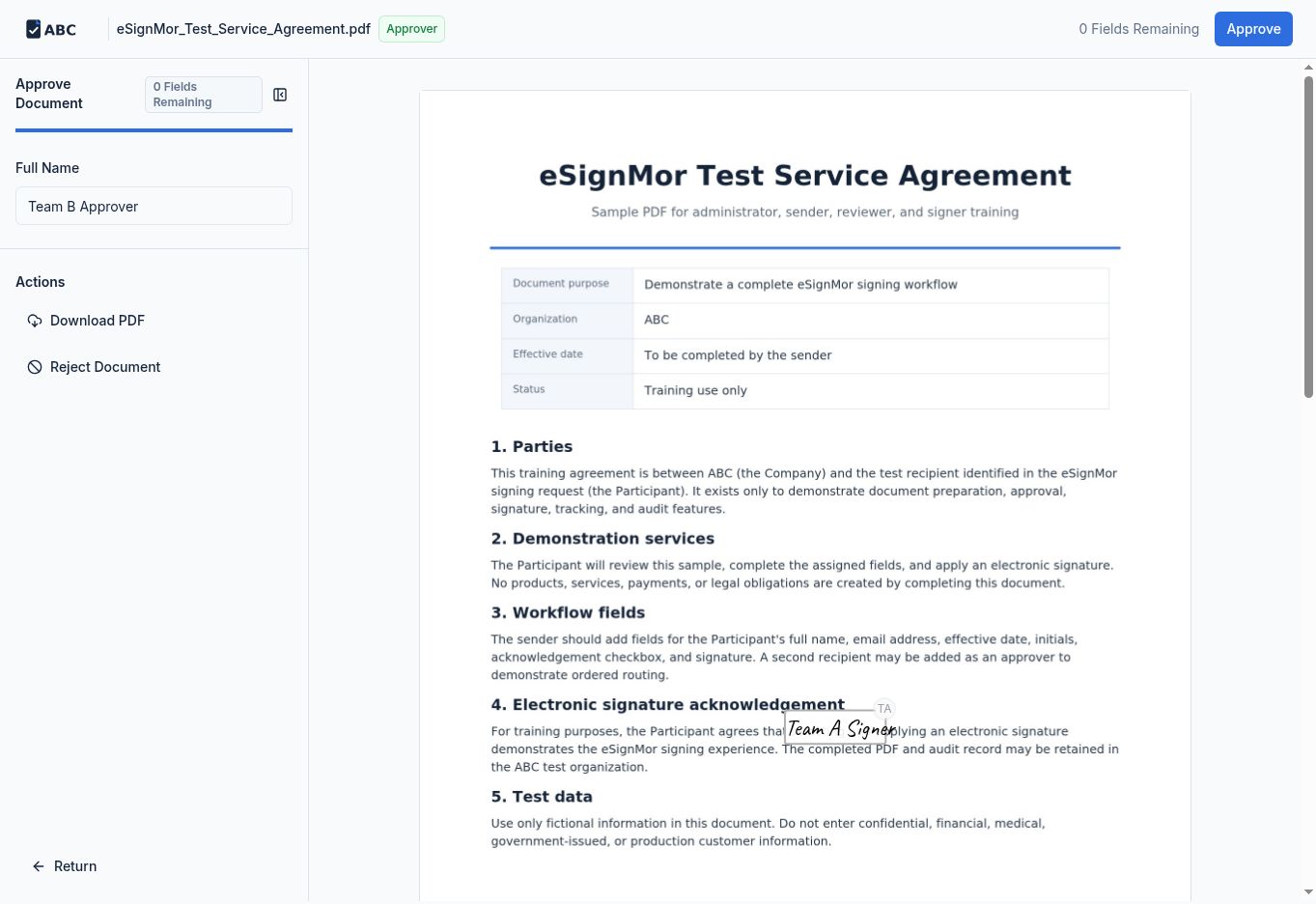 Review the document and entered data.
 -
Complete your fields
Complete any fields assigned to you.
Complete assigned approver fields. -
Approve or reject
Approve or reject the document according to policy, adding a reason where required.
Record the approval decision. -
Confirm the result
Confirm that the recorded result matches your decision.
Result: The workflow continues or stops based on your decision.
Need a hand? Email support@esignmor.com.